Teaching computing in K-12 is relatively new where a lot of teachers and students still find it challenging. However, fun events such as outreach and competitions can change the norm. In addition, a good introductory workshop experience can change some perspectives.
In this 90 minute workshop, you can give your participants a hands-on experience using Makey Makey in programming learning. This activity is project based that combines making and collaboration to practice programming skills. The goal of this activity is to motivate participants (teachers in this case) to learn coding through hands-on educational game creation workshop.
Rationale: what does theory say?
The goal of this activity is to enable teachers become creators of educational games via learning how to program. Not only because it is fun, providing educational games to students has the benefit of immediate feedback, hence allowing the students to walk out of the classroom knowing the areas they should work on more (Ibrahim, 2008). Moreover, it is proven in the literature and practice that “making” in learning has a wide range benefits, from collaboration opportunities to learning persistence and transferring knowledge (Blikstein, 2013). In addition, when the learning activity is based on collaboration, we allow more cognitive growth possibilities through apprenticeship (O’Donnell, 2012).
Materials: what do you need?
- Makey Makey kit $49
- Alice programming environment free
- Some conductive materials (keys, any pencil colored art, bananas, your call!) free
- Each two participants will need one computer (can use their personal laptop or host this in a computer cluster) free
Demo Plan
1- Your participants will need to setup the conductive materials they choose, confirm that they actually work with the Makey Makey kit.
Here are some ideas: 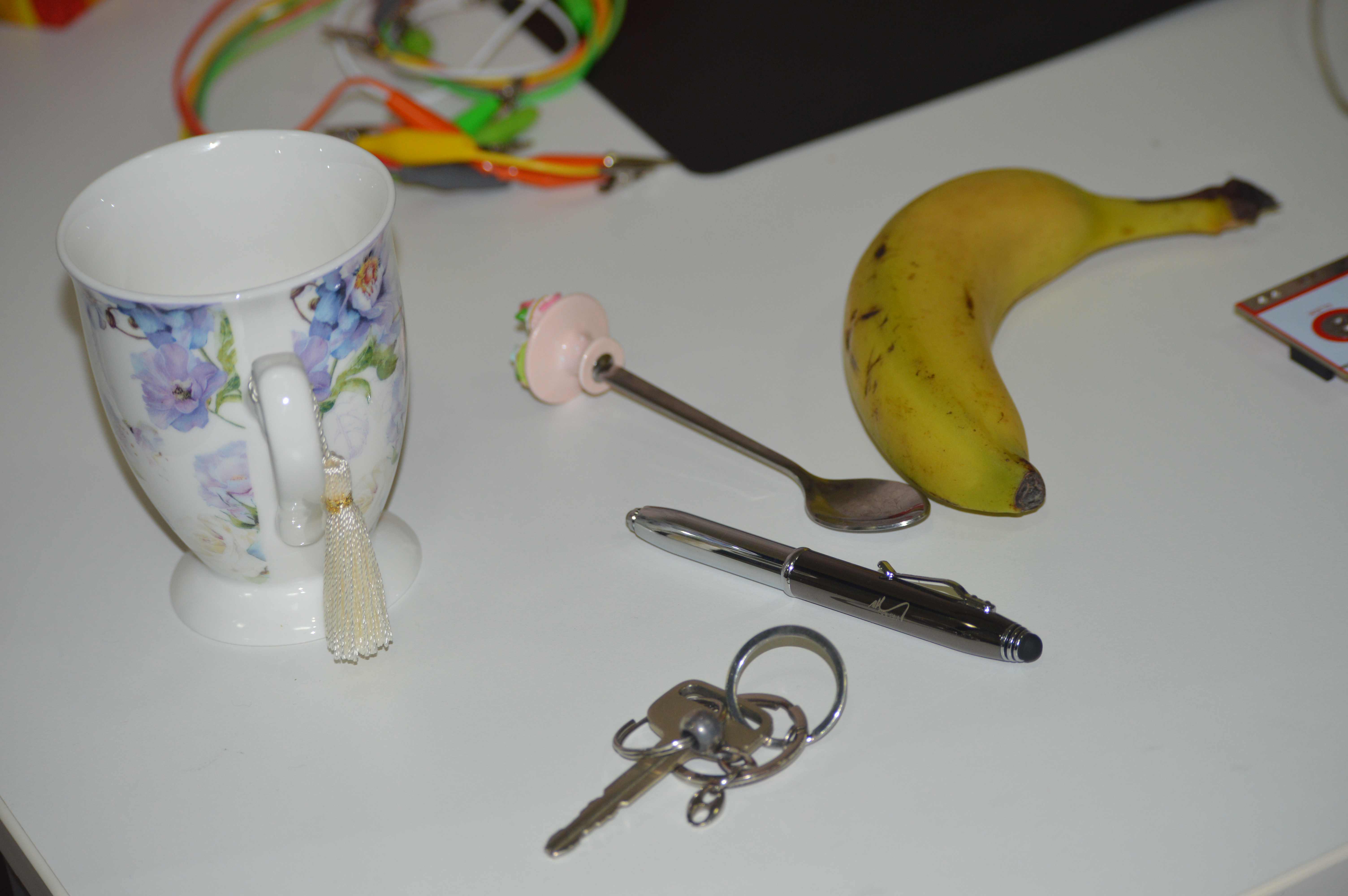
2- Find the materials illustration in Alice software. Most probably your participants can find them, if not, they can use their imagination to pick the most matching object.
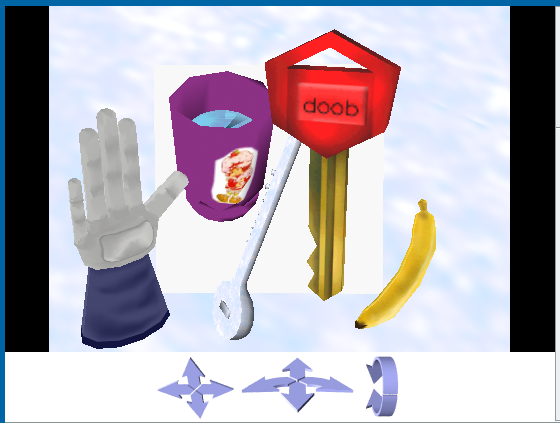
3- Start coding! This will be simple, we want each object in Alice to be invisible until touched. To make them invisible, right click on an object>methods> set Opacity>0.
Now all our objects are invisible in the software, we them to appear as soon as they are touched from the makey makey side.
4- Now you will teach them interactive programming. This is illustrated in Events section in Alice: when a key is pressed, something happens.
Here you should take the time to explain input/output. People know that, but explain it from programming perspective. Tell them the fact that a computer is infinitely waiting for a user to click in order to take an action.
Also, illustrate to them how Alice events work, connect a banana to space on the makey then create an event: when a space is pressed, banana turns visible. Here are some examples of this: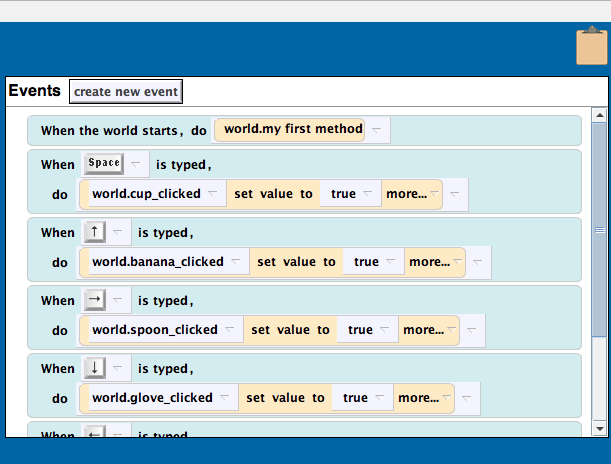
5- Now you can add sounds to your objects! On the properties tab of an object, you can import sound or record your own. Illustrate to the participants one example then let them create theirs with their imagination. Challenge your participants to link the voice to the events panel in Alice!
Assessment
At the end of the workshop, let each group swap their game to their neighbouring group. Also ask them to try the game with their students if they teach in KG or Primary, or to the kids in their family and see their reaction.
References:
Blikstein, P. (2013). Digital fabrication and ‘making’in education: The democratization of invention. FabLabs: Of machines, makers and inventors, 1-21.
Ibrahim, Z. (2008). Language Teaching and Technology. Linguistics in an Age of Globalization, editors, Zeinab Ibrahim, Sanaa AM Makhlouf. Cairo: AUCPress, 1-16.
O’Donnell, A. (2012). Constructivism. In APA Educational Psychology Handbook: Vol. 1. Theories, Constructs, and Critical Issues. K. R. Harris, S. Graham, and T. Urdan (Editors-in-Chief). Washgington, DC: American Psychological Association. DOI: 10.1037/13273-003.
 Hanan Alshikh